
What is Dockio?
Dockio is a Mac Dock lights app. It adds glowing color points and small animated effects around your existing Dock, so the Dock feels more expressive without becoming a new interface.
The important distinction is simple: Dockio decorates the Dock. It does not replace the Dock, take over launching, or introduce a heavy customization system.
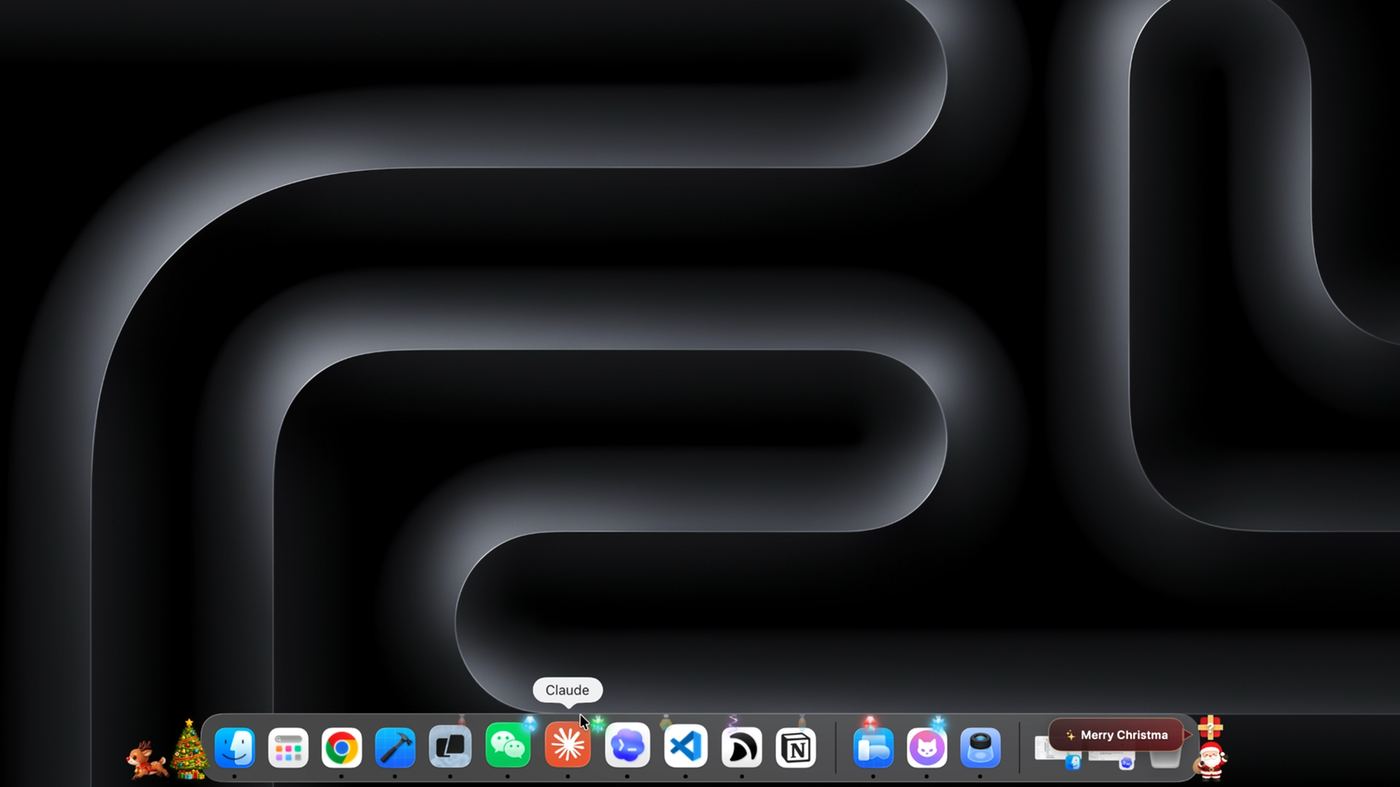
When Dockio makes sense
You want your desktop to feel more personal without changing how the Dock works.
You use the Dock all day and want a small visual upgrade that stays out of the way.
You switch displays or Dock positions and need the effect to follow your real setup.
How the Dock effect works
Color lights
Small light points sit near the Dock and create a more playful desktop edge.
Subtle motion
Animations add personality while staying quiet enough for a work machine.
Display aware
Dockio supports common Dock positions and multiple display setups.
What Dockio is not
- It is not an app launcher.
- It is not a Dock replacement.
- It is not a wallpaper engine or a desktop widget system.
If you are looking for keyboard app launching, window management, or a complete Dock replacement, Dockio is intentionally narrower than that. It focuses on one job: making the existing Dock more visually alive.
Dockio compared with similar Mac tools
Quick setup
Install Dockio from the Mac App Store.
Open Dockio from Applications.
Use the menu bar control to enable the light effect.
Pick the display that currently hosts your Dock.
FAQ
What does Dockio do?
Dockio adds colorful light effects and subtle animations around your existing Mac Dock. Your Dock icons, wallpaper, and normal macOS behavior stay the same.
Is Dockio a Dock replacement?
No. Dockio is a visual decoration layer for the Dock, not a launcher or replacement for the macOS Dock.
Does Dockio work with multiple displays?
Yes. Dockio supports multiple display setups and lets you choose the display that currently hosts your Dock.
Does Dockio track usage or require an account?
No. Dockio stores only local preferences on your Mac and does not require accounts, analytics, tracking, or cloud sync.